

Prompt Explorer Features
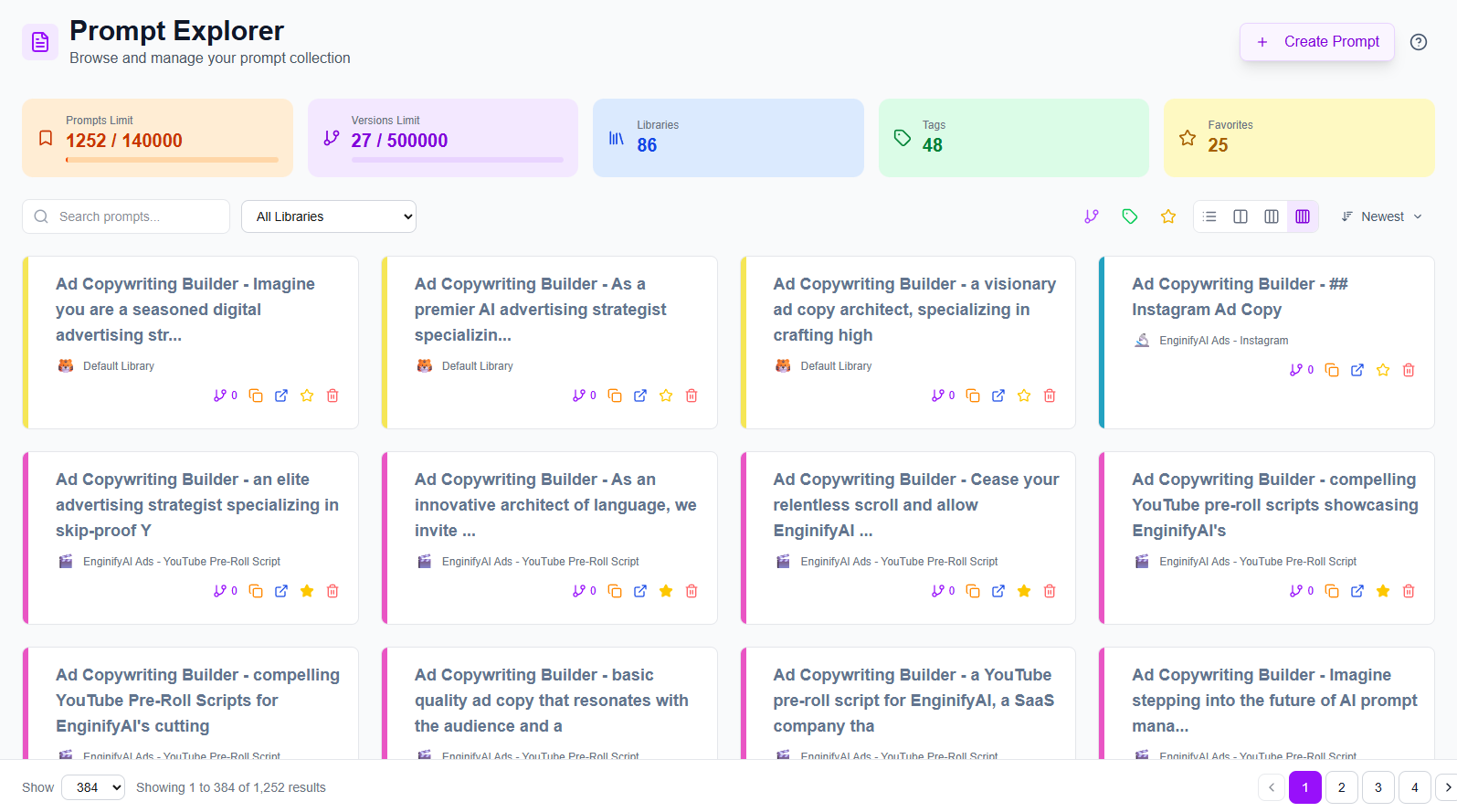
Browse, search, and manage your entire prompt collection across all libraries. Your central hub for accessing all of your prompts with advanced filtering, sorting, and organization tools.
Smart Prompt Organization
Find any prompt instantly across your entire collection
Browse and organize prompts from all your libraries in one centralized view. Filter by library, search across titles and content, and use quick toggles to show only favorites, tagged prompts, or those with version history.
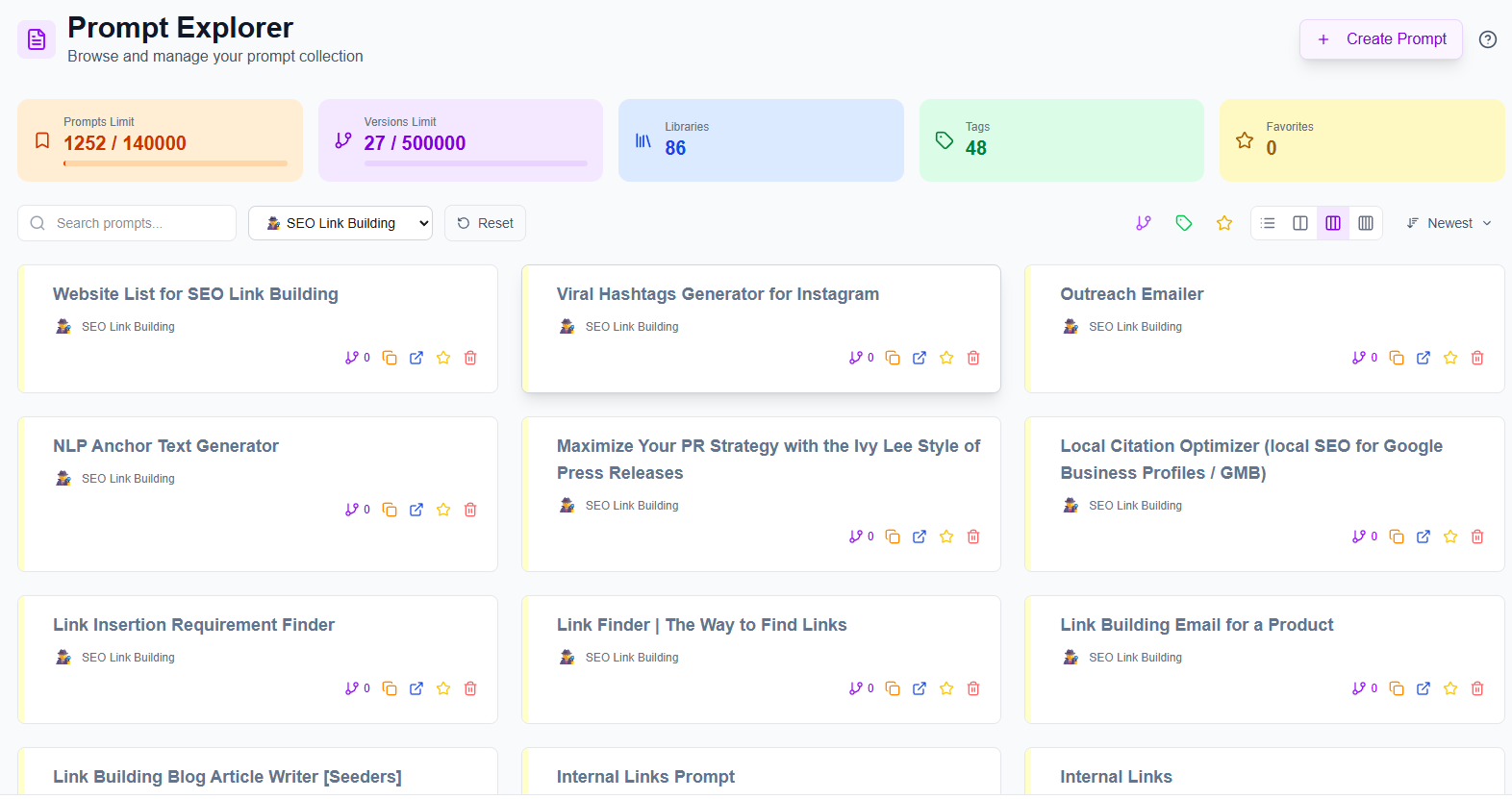
- Library filtering: Select any library from the dropdown to focus on specific prompt collections
- Instant search: Find prompts across titles, descriptions, content, tags, and library names in real-time
- Quick-access toggles: Filter by favorites, tags, or version history
- Flexible layouts: Switch between compact list view or visual grid layouts (2, 3, or 4 columns)
- One-click reset: Clear all active filters instantly to return to your full collection
Build Better Prompts
Access and deploy your proven prompts across any AI platform
Every prompt in your collection is ready to copy and use immediately. View version history to track improvements, favorite your best-performing prompts, and organize by library to keep similar prompts together.
-
Instant copy to clipboard One-click copying of any prompt for immediate use in ChatGPT, Claude, Gemini, or Grok
-
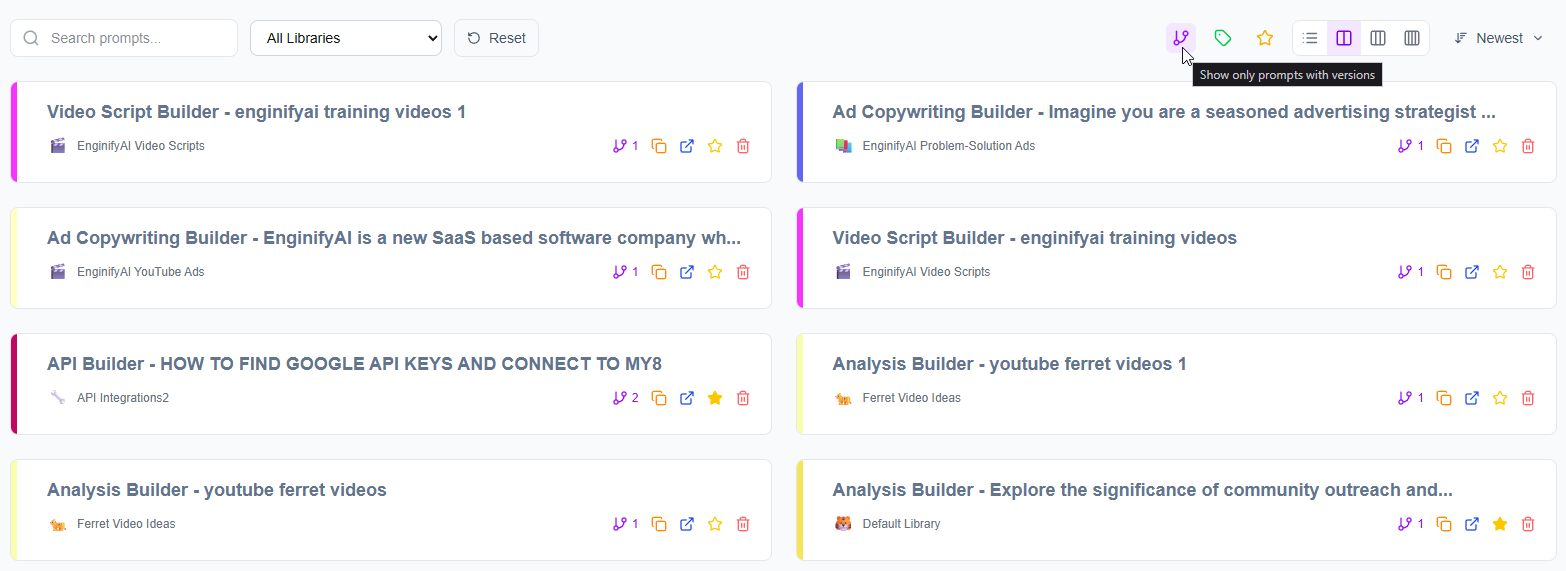
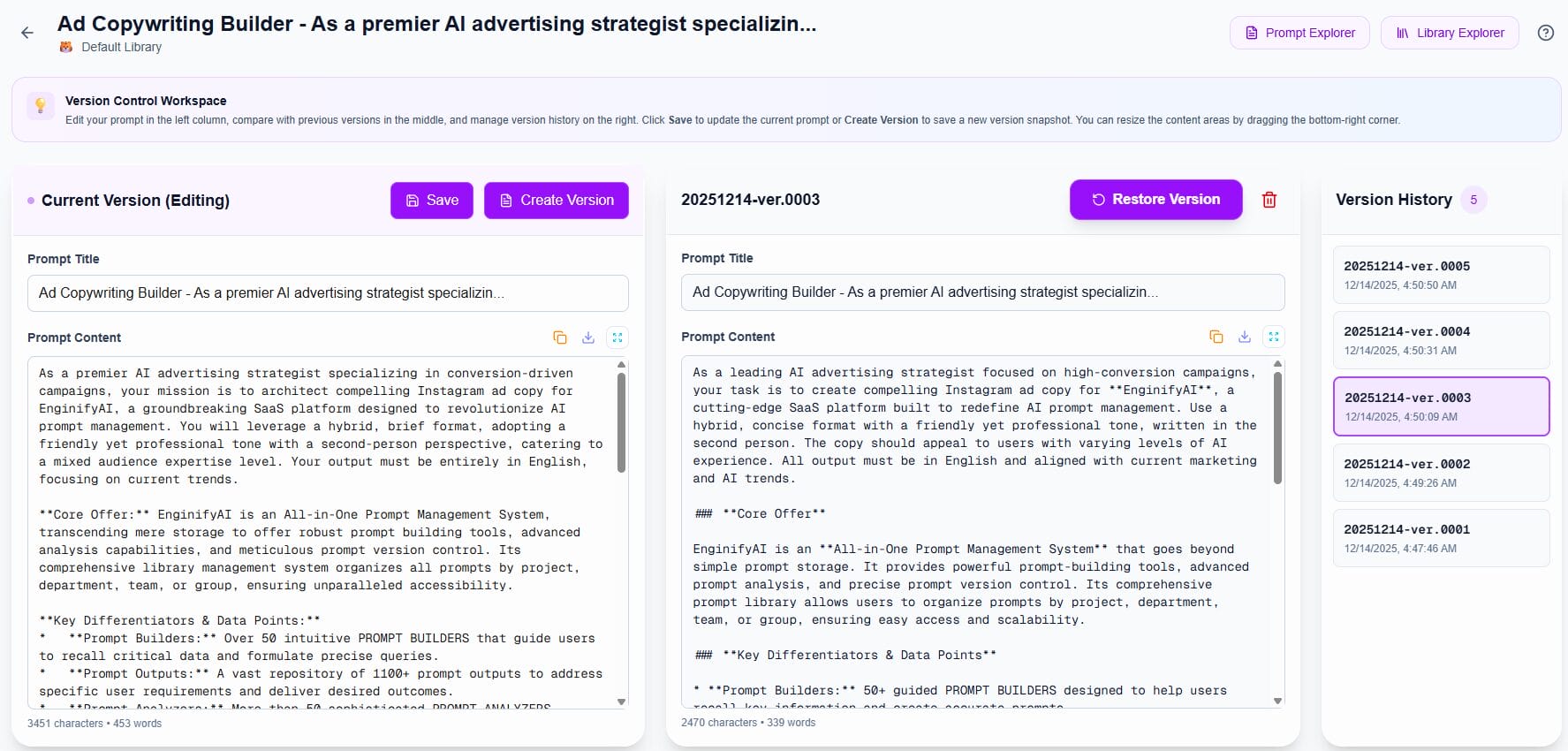
Version tracking See which prompts have saved versions with a version badge—click to view history
-
Cross-library access Browse prompts from all libraries without switching between different views
-
Quick favorites Star your most-used prompts and filter to show only favorites for rapid access
-
Library context Each prompt shows its parent library with visual emoji icons for instant recognition








Smart Usage Management
Track your capacity and plan your growth
Real-time quota tracking shows exactly where you stand with your subscription tier. Visual progress bars for prompts and versions help you monitor usage and upgrade when you need more capacity.
-
Prompts quota tracking See current prompt usage vs. prompt limit with orange progress bar
-
Versions quota tracking Monitor version history usage vs. limit with purple progress bar
-
Library count Track total libraries in your account with blue badge
-
Tag overview See total tags across all prompts with green badge
-
Favorites counter Monitor how many prompts you've favorited with yellow badge
All Features
Everything you need
to manage prompts at scale
Complete toolkit for browsing, organizing, filtering, and accessing your prompt library with professional-grade tools.
Statistics Dashboard
Five color-coded cards showing prompts limit, versions limit, total libraries, unique tags, and favorites count
Instant Search
Real-time search across prompt titles, descriptions, content, tags, and library names—find any prompt in seconds
Library Filtering
Dropdown menu showing all libraries with their custom emoji icons—filter to one library or view all
Quick Filter Toggles
Three one-click filters: show only favorited prompts, prompts with tags, or prompts with version history
Flexible View Modes
Four display options: detailed list view or visual grid layouts in 2, 3, or 4 columns—switch instantly to match your preference
Sort Options
Organize by newest first, oldest first, alphabetical, or other criteria via the sort dropdown menu
Prompt Actions
Every prompt card includes: version history access, copy to clipboard, open in library, toggle favorite, delete
Visual Organization
Each prompt displays its library emoji and name, shows a colored left border matching the library, and includes all action icons in an easy-to-access row
Reset Filters
One-click button to clear all active filters (search, library selection, and toggles) and return to full collection view
Responsive Grid
Grid layouts automatically adjust column count based on screen size for optimal viewing on any device
Start Building Better Prompts
Free to start
organize your AI workflow today
Create your first library in seconds and discover how easy it is to organize your prompts, track your work, and improve your AI results. No credit card required.