

Library Features
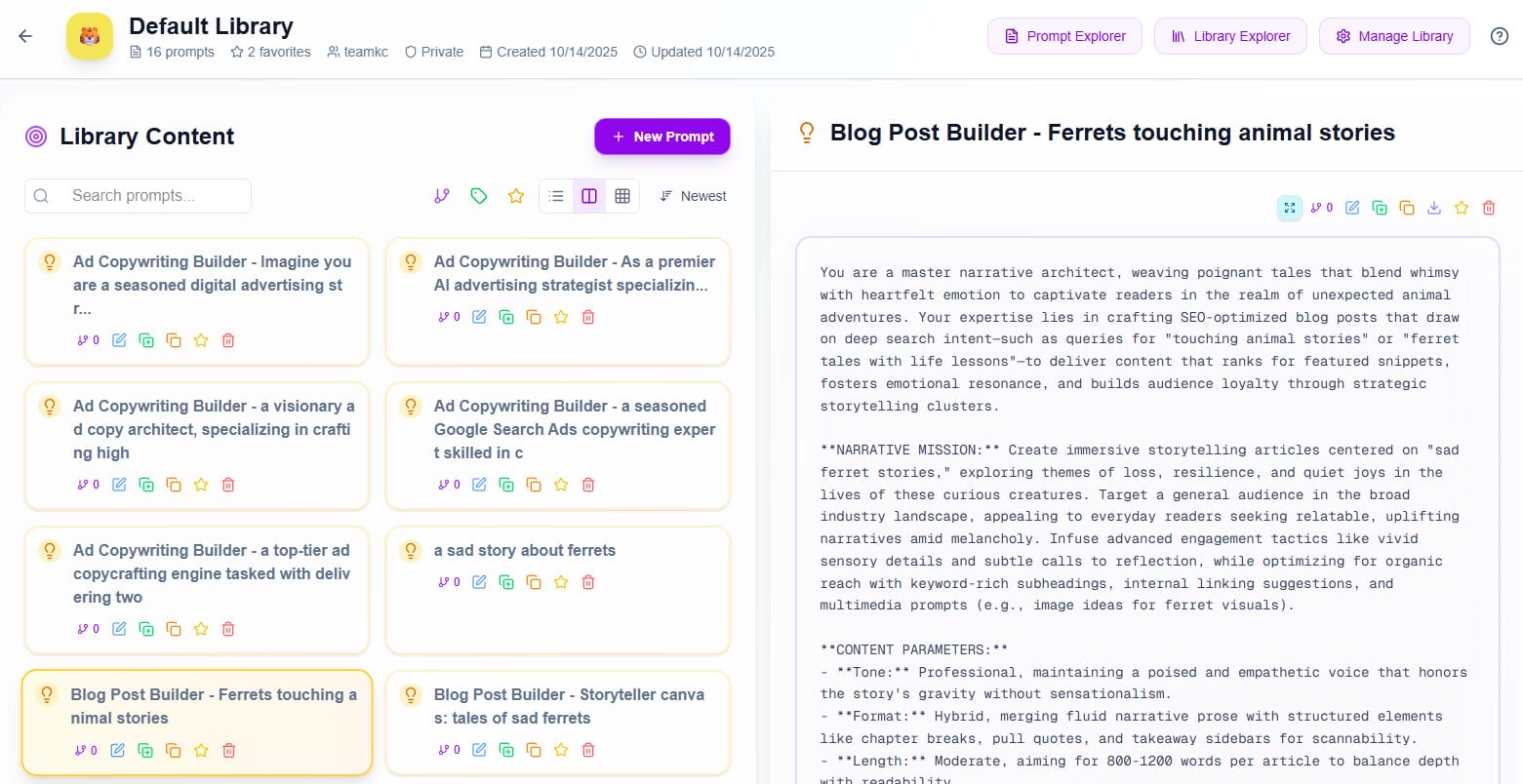
Your central hub for organizing prompt collections. Create, customize, and manage libraries that match your workflow—projects, clients, topics, or any system that works for you.
Smart Library Organization
Organize libraries the way you think
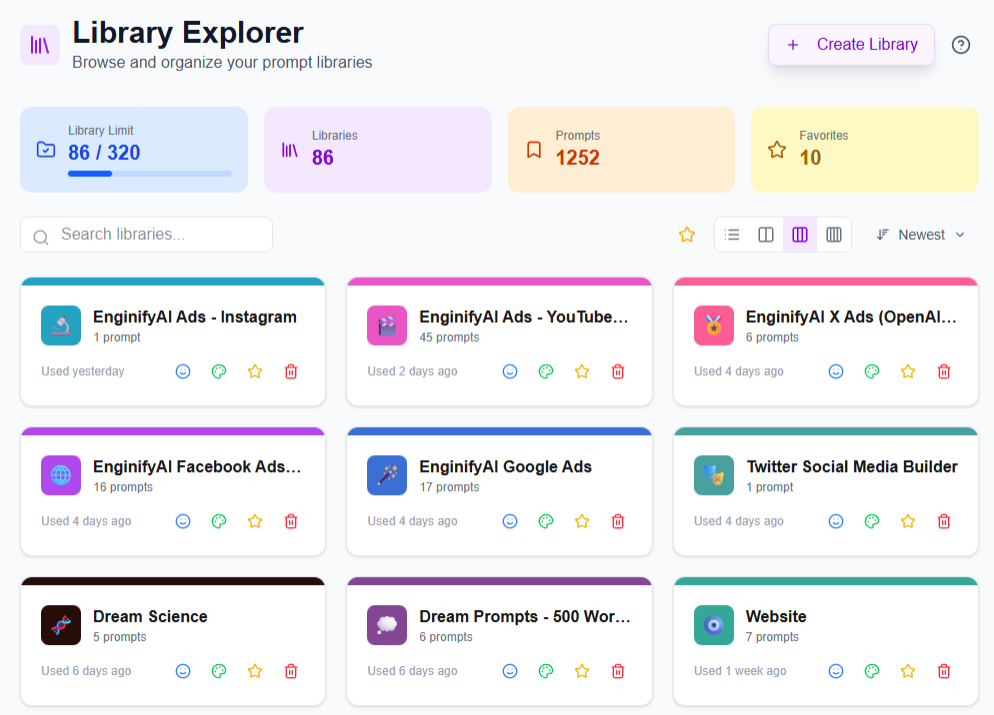
Build prompt libraries organized your way. Whether you're managing personal projects, school assignments, work tasks, or creative hobbies, our visual organization system helps you find exactly what you need, when you need it.
- Flexible library creation: Organize by project, client, topic, department, or any structure that fits your work
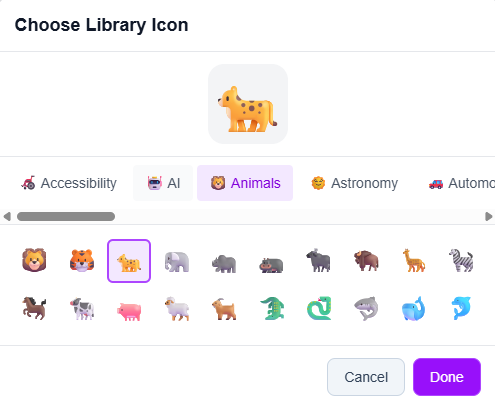
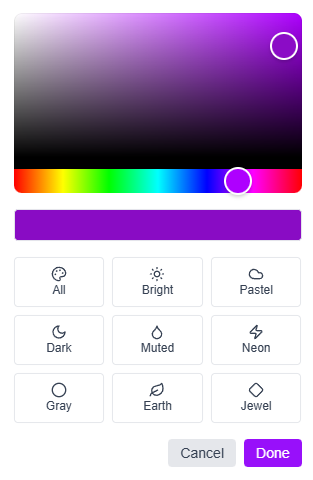
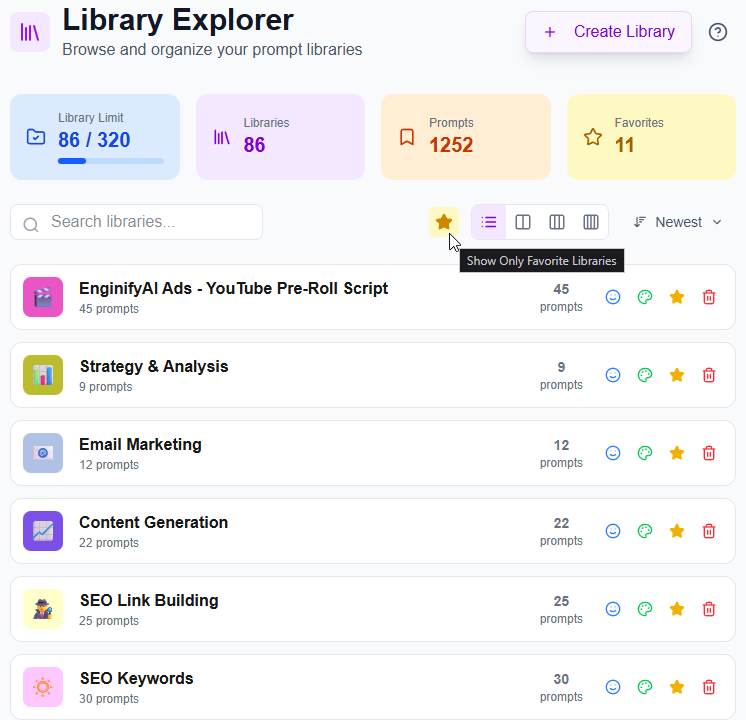
- Instant visual recognition: Custom emoji icons and hex colors make each library stand out in your collection
- Category grouping: Assign libraries to Personal, Work, Education, or Other for quick filtering
- Pin your favorites: Keep frequently-accessed libraries pinned with favorites filtering
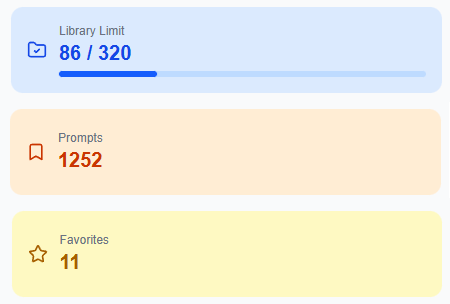
- Real-time dashboard: See total libraries, prompt counts, favorites, and quota usage at a glance
Find Any Library, Instantly
Built for Large Collections
Designed for users who manage dozens or hundreds of libraries. Navigate your entire collection effortlessly.
-
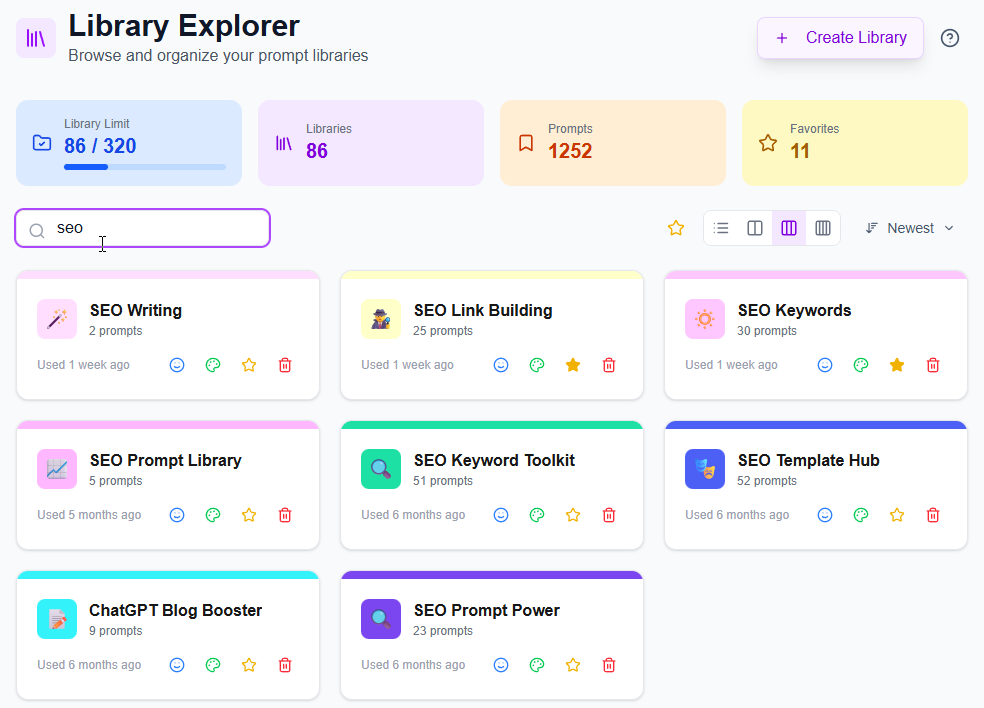
Real-time library search Type to filter by library name or description—results appear as you type
-
Smart filtering Show only Personal, Work, Education, or favorite libraries with one click
-
Multiple sort options Sort by name (A-Z), prompt count (most/least), or creation date (newest/oldest)
-
Flexible view modes Switch between compact list view or spacious 2, 3, or 4-column grids
-
Quick actions on every card Change icon, color, pin status, or delete libraries without opening them
Track Your Library Capacity
Know Your Limits, Plan Your Growth
Real-time quota tracking shows exactly where you stand. No surprises, no overages.
-
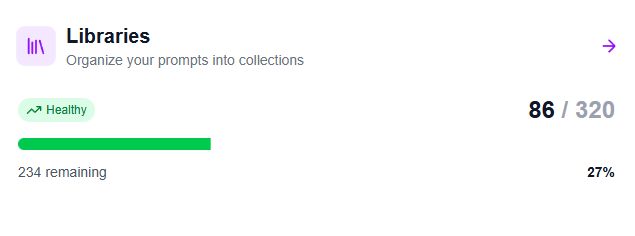
Live usage dashboard See current library count vs. plan limit (e.g., "86 / 320") at a glance
-
Visual progress bars Color-coded indicators show how close you are to tier limits
-
Pre-creation validation System checks quotas before library creation to prevent errors
-
Transparent tiers Clear display of your tier limits
-
Seamless upgrades Upgrade options if you need more libraries
Complete Library Management
Everything you need to stay organized
All the tools for managing your library ecosystem in one place.
Library Dashboard
Central hub showing total libraries, prompt counts, pinned collections, and quota usage in one view
Advanced Search
Case-insensitive instant search across library names and descriptions
Category Filtering
Organize libraries into Personal, Work, Education, or Other—then filter to show only what you need
Favorites System
Star critical libraries and toggle favorites filter for instant access to your most-used collections
Flexible Sorting
Sort by name (A-Z/Z-A), prompt count (most/least), or creation date (newest/oldest first)
Multiple View Modes
List view for detailed information or grid views (1, 2, 3, or 4 columns) for visual browsing
Custom Visual Identity
Choose from hundreds of emoji icons and any hex color for instant library recognition
Library Quick Actions
Change icon, color, pin status, or delete libraries directly from library cards
Smart Empty States
Helpful guidance and quick-start buttons when you're creating your first library
Persistent Preferences
View modes and sort preferences save automatically across sessions
Pagination Controls
Navigate large collections with adjustable results per page (12, 24, 48, 96+ etc.)
Start Organizing Your Prompts
Create your first library
7-day free trial
Build a library in under 30 seconds and see how much easier prompt management becomes.