

Prompt Analyzers
Analyze and refine your prompts before using them in production. AI-powered insights across structure, quality, and effectiveness—helping you build better prompts, faster.
Smart Analysis Workflow
Build confidence before execution
Get expert-level feedback on your prompts in seconds. Our analyzers examine structure, detect ambiguities, evaluate clarity, and identify improvements—so you know your prompts will perform before you use them.
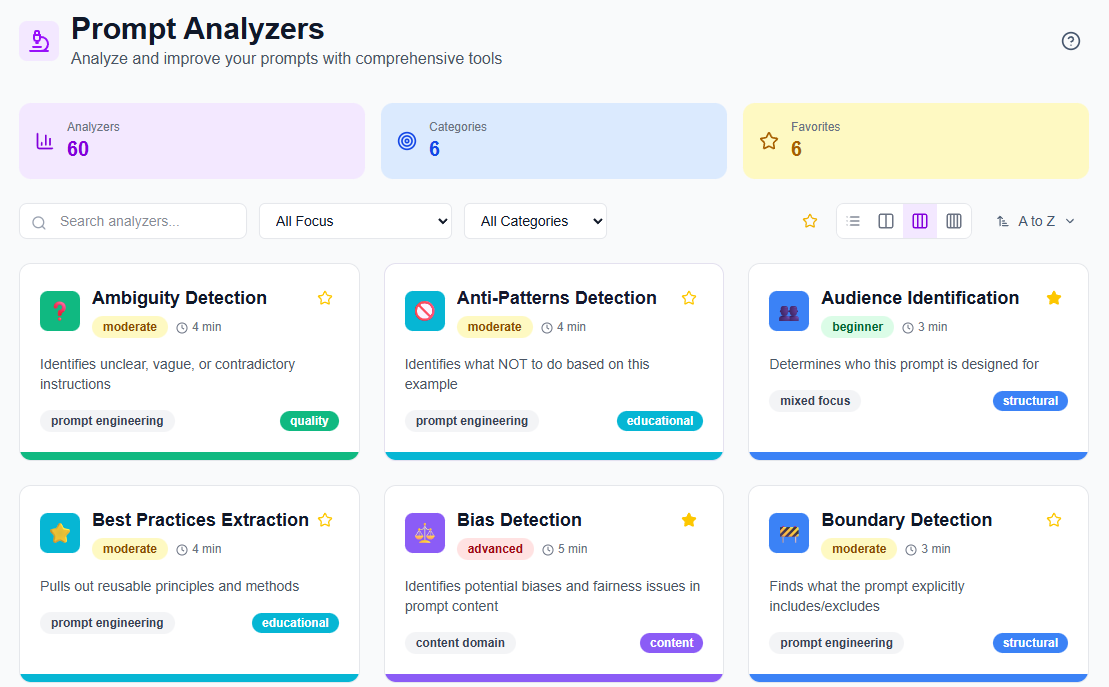
- Multiple analyzer categories: Choose from Structural Analysis, Quality & Effectiveness, Content Analysis, Usability, Strategic, and Educational analyzers
- Visual organization: Color-coded categories and emoji icons make finding the right analyzer instant
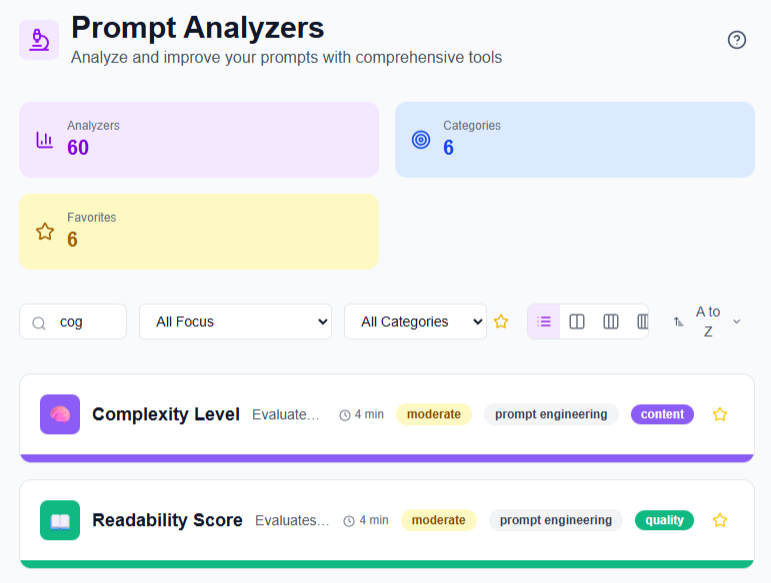
- Real-time search: Filter analyzers by name, description, or category
- Flexible views: Browse in list or grid layouts (1-4 columns)
- Pin your favorites: Keep frequently-used analyzers at the top for quick access
Deep AI-Powered Insights
Understand every aspect of your prompts
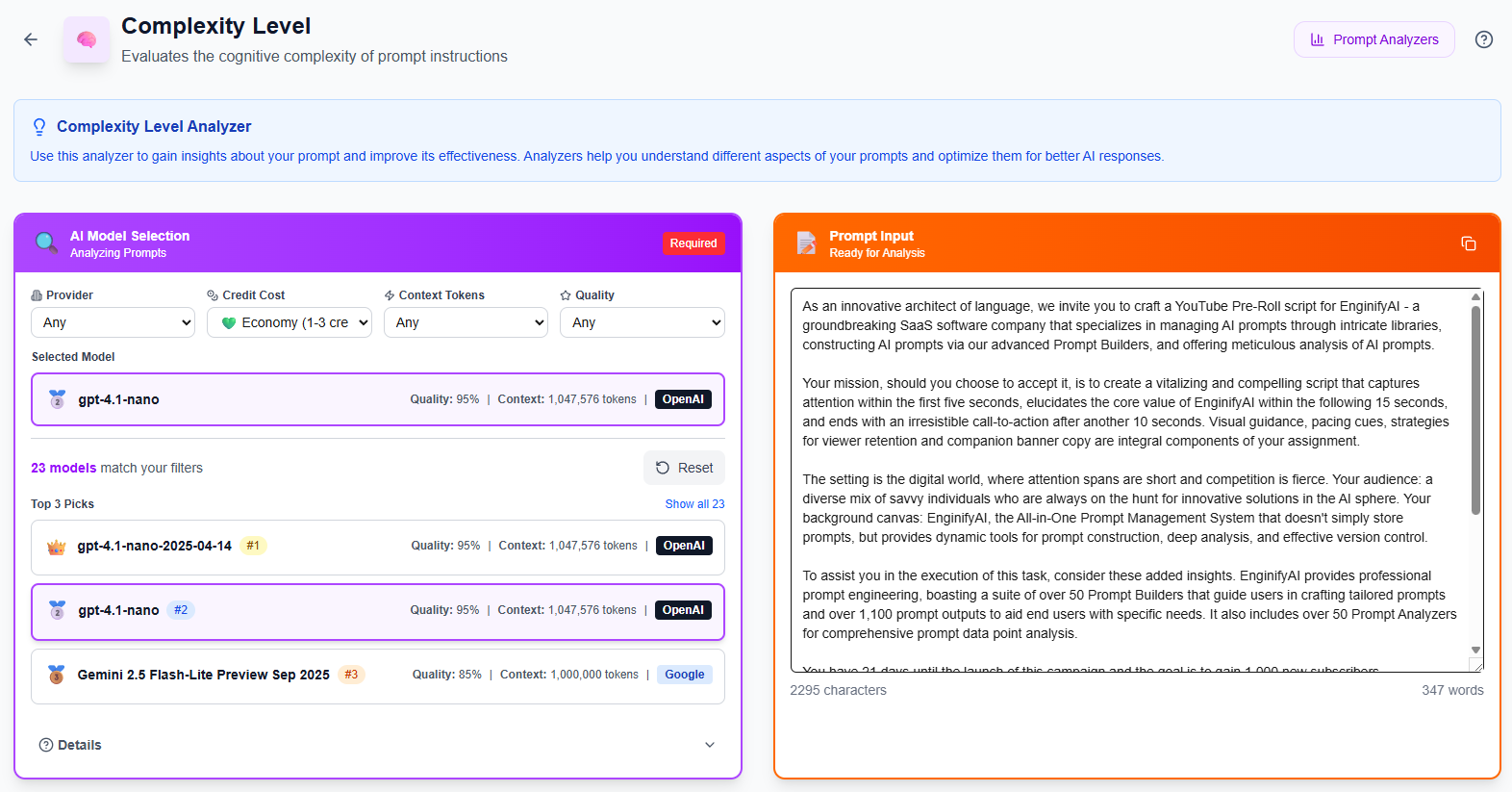
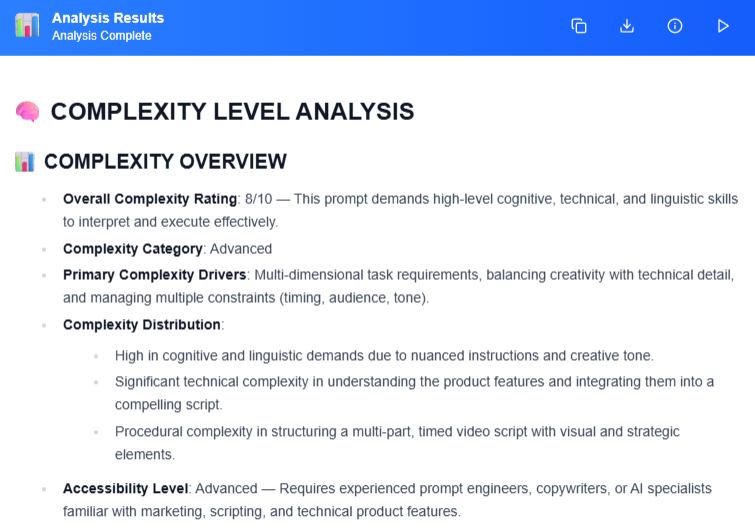
Each analyzer provides comprehensive feedback tailored to specific dimensions of prompt quality. From detecting vague instructions to evaluating tone and identifying missing context, you'll get actionable recommendations backed by AI analysis.
-
Model selection Choose from Claude, Gemini, GPT, or Grok models for your analysis
-
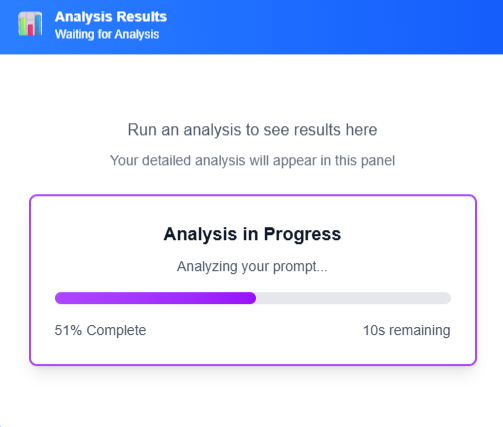
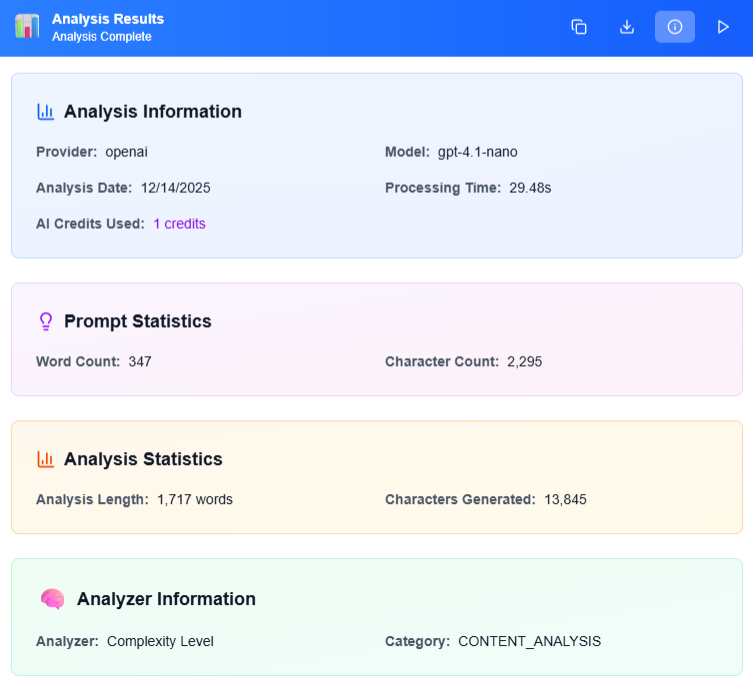
Three-tab results View Analysis findings, performance Metrics, and detailed metadata in one interface
-
Instant feedback Most analyzers complete in 3-6 seconds with real-time progress tracking
-
Export everything Copy results to clipboard or download complete analyses as .txt files
Transparent Usage Tracking
Know exactly what you're using
Monitor your analysis activity with real-time statistics and credit usage. See how many analyzers you've run, track your favorites, and understand exactly how many AI credits each analysis consumes.
-
Live statistics Dashboard shows total analyzers available, categories, and your pinned count
-
Credit transparency Every analysis displays exact AI credits used in the Details tab
-
Processing metrics View analysis time, prompt statistics, and output length for every run
-
Usage insights Track which analyzers you use most to optimize your workflow
Complete Analyzer Features
Everything you need for
Prompt Excellence
Explore the tools designed to help you build prompts that perform. From beginner-friendly clarity checks to advanced strategic analysis, every analyzer is built to make your prompts clearer, more effective, and production-ready.
Analyzer Dashboard
Central hub showing total analyzers, categories, pinned analyzers, and quick-access search in one view
Smart Categorization
Filter by Structural Analysis, Quality & Effectiveness, Content, Usability, Strategic, or Educational categories
Complexity Indicators
Every analyzer shows difficulty level (beginner, moderate, advanced) and estimated analysis time
Favorites System
Star important analyzers to surface them instantly with the favorites filter
Multiple Sorting
Sort by name (A-Z/Z-A), complexity level, or estimated analysis time
Four View Modes
Switch between compact list view or grid views (2, 3, or 4 columns) based on preference
Detailed Results
Analysis tab for findings, Metrics tab for performance data, Details tab for AI model info and credit usage
Copy & Export
One-click copy to clipboard or download complete analysis as formatted text files
Model Flexibility
Choose your preferred AI provider and model for each analysis based on your needs and API keys
Persistent Preferences
View modes, sorting choices, and favorites automatically save for your next session
Start Analyzing Your Prompts
Get started today
it's free to try
Run your first analysis in seconds and discover how professional feedback transforms your prompts. No credit card required to start.