

Prompt Chains
Turn one goal into a sequence of AI steps. Each step builds on the results before it, and you can read the exact prompt behind every one.
Build a Chain
Start with a goal, get the steps
Describe what you want to accomplish, then let AI draft the steps or write them yourself. Either way, you control the order and the wording before anything runs.
- Chain Goal: Describe the outcome you want in your own words.
- Generate with AI: Get 5 to 10 steps written for your goal, then edit them freely.
- Add Step: Write your own step with a title and optional instructions.
- Drag to reorder: Move a step by its handle and the step numbers update.
- AI Model Selection: Choose the model that runs your Chain. Models vary by plan.
Context and Constraints
Set the brief once for every step
Fill in what you want once. Your Context and Constraints go into the prompt for every step, so you do not repeat yourself. Both are optional.
-
Context Add Background, Industry, Target Audience, Timeline/Urgency, and Success Metrics.
-
Limitations Set the budgets, word caps, or topics your steps must respect.
-
Style controls Set Tone, Format, Length, Audience, Language, and Perspective, or use Auto-detect.
-
Content Freshness Strategy Favor timeless ideas, current context, or well-researched information.
Chain Execution
See every step as it runs
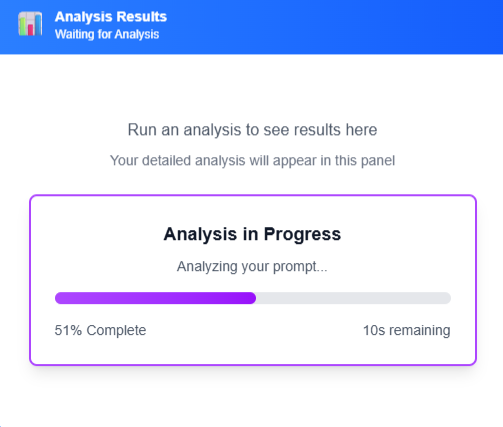
A run moves through your steps in order and follows the active one on screen. When a step finishes, its prompt and result are there to read.
Multi-step details
How a Chain keeps its place
These details keep later steps on track and give you a way to redo the one step that missed.
Results carry forward
Each step receives the result of the step before it, so the work carries forward.
Rolling summary
From step 3 on, the prompt also includes a running summary of decisions and data from earlier steps.
Chain outline
The prompt for every step lists the full outline and marks where that step sits.
Rerun Step
Run one completed or failed step again without rerunning the others.
Try another model
Select a different model before Rerun Step to retry that step with it, with no need to save first.
Rerun the full Chain
Run every step again with your current settings, after confirming that prior results will be replaced.
Step instructions
Add notes to any step to guide what the AI does in that step.
Step time limit
A step with no response after 2 minutes is marked Failed, ready for you to rerun.
Edit Output
Correct the result of a step in place, then save the Chain to keep your change.
Save step prompts
Save the prompts from completed steps to a Collection so you can reuse them later.
Run your first Chain
Get started with a
30-day free trial
Set a goal, build your steps, and see every prompt and result as the Chain runs.