

Prompt Blueprints
Design a guided form once. Whoever runs your Prompt Blueprint answers its questions and gets a refined prompt, ready to run in the app.
Build It Once
Choose the questions people answer
Every Blueprint starts with a Main Idea. You add the rest from ready-made parts or your own, arrange the order, and see the result beside the editor as you work.
- Main Sections: Add ready-made sections, curated or your own, to ask for common details.
- Custom section: Write your own questions when no ready-made section fits.
- Topics: Offer a list of outputs people tick to choose what gets generated.
- Variables: Pick which variables people can add to their Main Idea when they run it.
- Live preview: See what end users will see and run, and try the fields as you build.
Custom Sections
Ask exactly what your prompt needs
A custom section holds as many fields as you like, in any mix of types. A preview beside the editor lets you test each field. Nothing you type there is saved.
-
16 Field Types Short text, Slider, Yes / No, Tags, Currency, Date range, and ten more.
-
Also Allow Add None, Let AI choose, or Allow custom to any select field.
-
Default Value Pre-fill a field on every run. People can still change it.
-
AI Instructions Tell the AI how to use the answers, or choose Let AI figure it out.
Run It
One set of answers, many prompts
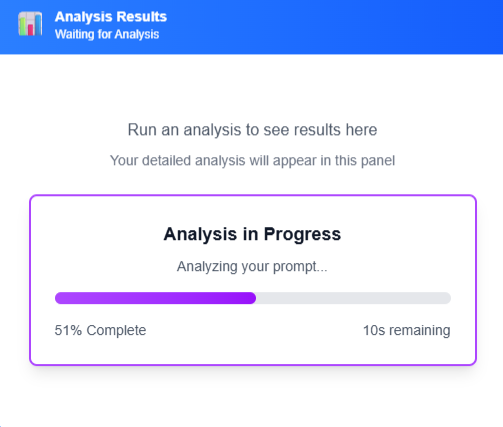
People fill in the sections, tick the topics they want, and generate. Each prompt appears in a list with its status, then runs in the app with its own output.
More Control
Small controls for better Blueprints
More ways to shape a Prompt Blueprint as you build it, and to adjust results after you generate.
Clone & Customize
Turn a ready-made section into an editable copy, then change its fields for this Blueprint.
Required or Optional
Mark each section. People see a checklist of what to complete before they can generate.
Required Main Topics
Require a pick from a main topic, so each required group gets at least one subtopic chosen.
Hide Subtopics
Keep a topic and hide the subtopics that do not fit this Blueprint.
Linked Sections
Edit a reusable section in Building Blocks, and Blueprints that use it pick up the change.
Drag-In Variables
People add a Variable, then drag it into their Main Idea or click to place it.
Regenerate or Rerun
Regenerate Prompt rewrites a prompt's text. Rerun Output runs the same prompt again.
Edit in Place
Change a generated prompt or its output on screen. Running then uses your edited prompt.
Draft or Published
A Draft stays visible only to you. Publish it from My Blueprints when it is ready.
Run the Whole Set
Run every prompt that has no output yet, and use Stop to end the queue at any point.
Start Building
Get started with a
30-day free trial
Create your first Prompt Blueprint, run it, and see the prompts it generates.